


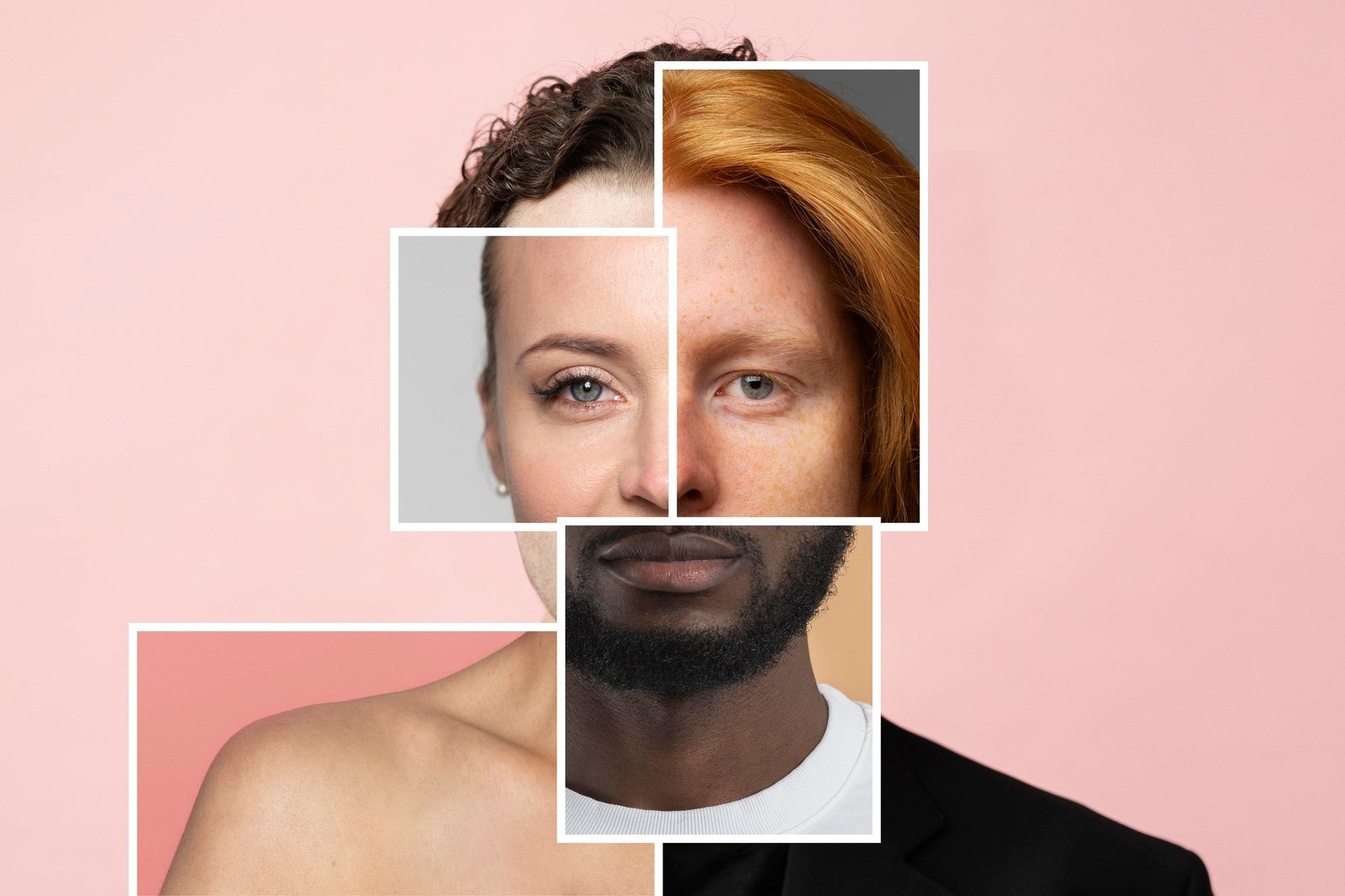
Face swapping has evolved from a novelty feature into a serious content creation tool. After spending two weeks testing every major face swap platform on the market, I can confidently say these ten tools represent the best options for creators, marketers, and anyone looking to produce professional-quality face swaps in 2026.
Whether you’re building social media content, creating marketing materials, or just having fun with memes, I guarantee at least one of these tools will meet your needs.
Best Face Swap Tools at a Glance
| Tool | Best For | Pricing | Free Plan | Video Support | Platform |
| Magic Hour | Professional creators & marketers | Free, $12/mo, $49/mo, $249/mo | Yes (400 credits) | Yes (up to 34.7 hours on Business) | Web, Mobile |
| DeepSwap | High-fidelity deepfakes | $9.99-$19.99/mo | No | Yes (up to 30 min) | Web, iOS, Android |
| Reface | Viral social content | Free, $3.99/mo | Yes (with watermark) | Yes | iOS, Android |
| Vidwud | Free unlimited swaps | Free | Yes (no watermark) | Yes | Web |
| FaceMagic | Short-form video creators | Free, $9.99/mo | Yes (limited) | Yes (up to 10 min) | iOS, Android |
| Pixlr | Quick photo edits | $2.49/mo | No | No | Web |
| SwapAnything | Multi-format versatility | Varies | Yes | Yes | Web |
| InsightFace | Developers & enterprises | Custom pricing | Yes (open source) | Yes | API/SDK |
| FaceFusion | Tech-savvy users | Free (open source) | Yes | Yes | Desktop (PC/Mac) |
| DeepFaceLab | Advanced professionals | Free (open source) | Yes | Yes | Windows |
1. Magic Hour (Best Overall Face Swap Tool)
Magic Hour leads the pack as the most comprehensive AI video and image platform available in 2026. After testing dozens of face swap tools, this is the one I keep coming back to.
What sets Magic Hour apart is its combination of professional-grade results, intuitive interface, and extensive feature set beyond just face swapping. The platform includes over 10 AI-powered tools including Magic Hour face swap, image-to-video, lip sync, and AI headshot generation—all working seamlessly together.
Pros:
- Studio-quality face swaps that maintain natural lighting and expressions
- No sign-up required to start creating
- Handles both photos and videos with frame-by-frame precision
- Multi-face swapping capability in a single project
- Works with YouTube URLs for easy content creation
- Exports up to 4K resolution on Business plan
- 400 free credits to get started
- Combines with other AI tools (lip sync, animation, style transfer) in one platform
- Cloud-based processing means no expensive hardware needed
Cons:
- Free plan includes watermark
- Advanced features require paid subscription
- Video processing time varies based on length and complexity
If you’re looking for a platform that delivers consistently realistic results with minimal effort, Magic Hour is hard to beat. I’ve used it for both quick social media content and client projects, and the quality holds up across the board.
The face swap technology automatically adjusts for lighting conditions, skin tones, and facial angles. In my testing, even challenging scenarios—like swapping faces in videos with rapid movement or unusual angles—produced surprisingly clean results.
Pricing:
- Free: 400 credits, watermarked output, 512px resolution, 200MB upload limit
- Creator: $12/month (annual) or $15/month (monthly) – 120,000 credits/year, no watermark, 1024px resolution, 1GB uploads, priority support
- Pro: $49/month – 600,000 credits/year, 1472px resolution, 2GB uploads, commercial use, priority queue
- Business: $249/month – 3,000,000 credits/year, 4K resolution, 3GB uploads, API access, VIP support
2. DeepSwap
DeepSwap specializes in creating highly realistic face swaps with professional-grade output quality. This tool focuses specifically on deepfake-style edits with impressive attention to lighting, expressions, and skin tone matching.
Pros:
- Exceptional realism with 99% accuracy claim
- Supports up to six faces in a single video
- Handles videos up to 30 minutes and 1GB
- HD output quality
- Multiple export formats (MP4, GIF, photo)
- Expression mapping technology
- Light adjustment for natural blending
Cons:
- No free trial for face swap features
- Relatively expensive compared to competitors
- Steep learning curve for advanced features
DeepSwap positions itself as a premium tool, and the results justify the price point. If you need convincing face swaps for professional projects or marketing campaigns, this is one of the strongest options available.
Pricing:
- Monthly: $9.99 first month, then $19.99
- Annual: $49.99 first year, then $99.99
3. Reface
Reface has built its reputation on being the go-to app for creating shareable, entertaining face swaps. With over 150 million downloads, it’s one of the most popular face swap apps globally.
Pros:
- Massive template library with trending content
- Real-time face swapping
- Optimized for short-form video (TikTok, Reels, Shorts)
- Fast processing speed
- Regular content updates with new templates
- Simple one-tap operation
Cons:
- Results prioritize entertainment over photorealism
- Limited professional editing options
- Best suited for mobile use only
- Watermark on free version
Reface excels at making content that gets shared. If your goal is engagement and virality rather than pixel-perfect realism, Reface delivers consistently entertaining results.
Pricing:
- Free: Yes (with watermark)
- Premium: Starting at $3.99/month
4. Vidwud
Vidwud surprised me with its combination of quality and accessibility. It’s completely free, requires no sign-up, and doesn’t add watermarks to your final output.
Pros:
- 100% free with no hidden costs
- No watermark on exports
- No account creation required
- Supports photos, videos, and GIFs
- Multi-face swapping capability
- Natural-looking results with proper lighting
- Fast processing time (typically 5-10 seconds for images)
Cons:
- Struggles with extreme side profiles
- Occasional edge flickering on complex videos
- Requires stable internet connection
- Limited to 1 free image swap per 24 hours
For creators on a budget or those who need quick face swaps without commitment, Vidwud offers impressive value. The results are professional enough for most social media applications.
Pricing:
- Free forever with daily limits
5. FaceMagic
FaceMagic is purpose-built for the short-form content creator. It excels at quick, template-based face swaps perfect for TikTok, Instagram Reels, and YouTube Shorts.
Pros:
- Optimized for viral short-form content
- Extensive template library for trending formats
- Multi-face support (up to 6 faces)
- Music and dance synchronization
- Fast rendering for social media formats
- Mobile-first design
Cons:
- Not ideal for professional production work
- Results can look unnatural with unusual hairstyles
- Requires subscription for full access
- Limited export quality options
FaceMagic delivers exactly what short-form creators need: fast, fun, and shareable content that works perfectly within social media ecosystems.
Pricing:
- Free: Limited templates
- Pro: $9.99/month
6. Pixlr
Pixlr is primarily a comprehensive photo editor with a robust face swap feature. It’s ideal for creators who need face swapping alongside other editing capabilities.
Pros:
- Extensive template library with creative themes
- Clean, professional interface
- No software installation required
- Seamless face blending technology
- Gender swap features
- Professional headshot generation
- Natural lighting and skin tone matching
Cons:
- Photo-only (no video support)
- Requires account creation
- No free face swap access
- Limited to single face swaps
Pixlr works best for creators who need a reliable photo face swap tool as part of a larger editing workflow.
Pricing:
- Basic: $2.49/month
- Premium: Higher tiers available
7. SwapAnything
SwapAnything stands out by offering both face swapping and outfit/clothing swaps in a single platform. It’s a creative all-in-one solution for various transformation needs.
Pros:
- Supports photos, GIFs, and videos
- Outfit swapping in addition to face swapping
- No watermark on outputs
- Free trial available
- Clean, browser-based interface
- Flexible Pro subscription with 50% first-time discount
Cons:
- Less well-known than competitors
- Limited template library
- Fewer advanced editing options
SwapAnything works well for creators who want flexibility across different content types and transformation styles.
Pricing:
- Free trial available
- Pro subscription: Varies (first subscription 50% off)
8. InsightFace
InsightFace is an open-source face analysis toolkit that provides API-based face swapping for developers building custom applications.
Pros:
- Open-source with full customization
- API access for integration into custom workflows
- Excellent precision and versatility
- Supports automation and batch processing
- Real-time face swapping with GPU acceleration
- Commercial-grade reliability
Cons:
- Requires technical knowledge
- Not user-friendly for non-developers
- No simple GUI interface
- Steeper learning curve
For development teams building face swap functionality into their own products or services, InsightFace offers the flexibility and power needed for custom implementations.
Pricing:
- Open source (free)
- Custom enterprise pricing available
9. FaceFusion
FaceFusion is a powerful open-source face swapping tool that gives tech-savvy users complete control over their face swap projects.
Pros:
- Completely free and open source
- High-quality output comparable to paid tools
- Video and photo support
- Lip sync functionality
- Age transformation features
- Real-time preview
- 2025 updates added simplified GUI installer
Cons:
- Requires 30-minute setup process
- Needs local installation
- Can experience glitches with fast motion or side angles
- No cloud processing option
FaceFusion appeals to users who value control and are comfortable with technical setup. The results often match or exceed paid alternatives.
Pricing:
- Free (open source)
10. DeepFaceLab
DeepFaceLab represents the professional-grade, technically advanced option for face swapping. It’s the tool of choice for serious deepfake creators and researchers.
Pros:
- Industry-leading quality and control
- Full manual control over every parameter
- Advanced GAN and CNN architectures
- Professional-grade results
- Active development community
- No usage limits
Cons:
- Extremely steep learning curve
- Requires powerful GPU hardware
- Not beginner-friendly
- Time-consuming workflow
- Windows-only
DeepFaceLab is for professionals who need ultimate control and are willing to invest time in learning the tool. The results are unmatched, but the barrier to entry is significant.
Pricing:
- Free (open source)
How We Chose These Tools
I tested each face swap tool using a consistent methodology to ensure fair comparisons.
Testing Criteria:
First, I evaluated output quality by examining how naturally faces blended into target images and videos. I looked specifically at lighting consistency, skin tone matching, expression preservation, and edge blending.
Second, I assessed ease of use by timing how long it took to complete a face swap from upload to download, noting any confusing interface elements or technical requirements.
Third, I tested feature depth including multi-face support, video capabilities, format compatibility, and export quality options.
Fourth, I evaluated pricing transparency and value, comparing what you get at each price tier and how it stacks up against competitors.
Finally, I considered real-world performance by creating actual social media content, marketing materials, and creative projects to see how each tool performs under practical conditions.
Each tool was tested with the same set of source images and videos, including challenging scenarios like side profiles, multiple faces, low lighting, and rapid movement. I spent at least three days with each platform to understand its capabilities and limitations.
The Face Swap Market in 2026
The face swap technology landscape has matured significantly. What began as novelty apps for creating memes has evolved into serious content creation infrastructure.
Key Trends:
The democratization of AI has made professional-quality face swapping accessible to everyone. Tools that once required expensive software and technical expertise now work in a browser with a few clicks.
Video face swapping has caught up to image quality. Earlier generations of tools struggled with temporal consistency in videos, but 2026 platforms now handle video swaps with impressive frame-to-frame accuracy.
Ethical concerns have driven policy changes. New regulations like the EU AI Act and U.S. legislation (DEFIANCE Act, TAKE IT DOWN Act, NO FAKES Act) now protect individuals from non-consensual use of their likeness. Responsible platforms now include watermarking and provenance tracking.
Integration with broader creative suites has become standard. The best tools no longer offer just face swapping but complete content creation ecosystems including lip sync, animation, and style transfer.
The market has bifurcated into entertainment-focused mobile apps and professional-grade creation platforms. Each serves distinct use cases with different priorities around speed versus quality.
Emerging Players:
Several new tools worth watching include AI-powered real-time face swapping for live streaming, blockchain-based provenance tracking for deepfake detection, and voice-matching technology that syncs swapped faces with appropriate voice characteristics.
The technology continues advancing rapidly, with improvements in handling challenging scenarios like extreme angles, occlusions, and diverse facial features.
Final Takeaway
Choosing the right face swap tool depends entirely on your specific needs.
- For professional content creators and marketers: Magic Hour offers the best balance of quality, features, and ease of use. Its comprehensive toolset and reliable results make it worth the investment.
- For budget-conscious creators: Vidwud provides surprisingly good quality at zero cost, making it perfect for experimentation and casual use.
- For mobile-first creators: Reface and FaceMagic excel at creating shareable social media content optimized for viral engagement.
- For maximum realism: DeepSwap and DeepFaceLab deliver the most convincing results, though they require more time, money, or technical expertise.
- For developers: InsightFace and FaceFusion provide the flexibility needed for custom implementations.
Don’t rely solely on these recommendations. Most platforms offer free trials or free tiers—take advantage of them. Test a few options with your actual use cases to find the best fit for your workflow, quality requirements, and budget.
The face swap technology available in 2026 is remarkable. Whether you’re creating content for entertainment, marketing, or artistic expression, these tools put powerful capabilities in your hands.
Frequently Asked Questions
Is it legal to use face swap tools?
Yes, face swapping is legal when used ethically and with consent. Always obtain permission before using someone’s likeness, especially for commercial purposes. Recent legislation like the DEFIANCE Act (2025) protects individuals from non-consensual deepfake creation, particularly for sexual content or fraud. Use face swap tools responsibly for entertainment, creative projects, or marketing with appropriate permissions.
Do face swap tools work on mobile devices?
Yes, several face swap tools work excellently on mobile. Reface, FaceMagic, and DeepSwap all offer dedicated iOS and Android apps. Web-based tools like Magic Hour, Vidwud, and Pixlr work through mobile browsers without requiring app downloads. Mobile apps typically prioritize speed and ease of use, while desktop tools offer more advanced features and control.
Can I use face-swapped content for commercial purposes?
Commercial usage depends on your subscription tier and the tool’s licensing terms. Magic Hour Pro and Business plans explicitly include commercial use rights. Always review the terms of service for your specific tool and tier. Additionally, ensure you have proper consent from individuals whose faces appear in your content to avoid legal issues.
How do I get the most realistic face swap results?
For best results, use high-quality source images with good lighting, front-facing poses, and clear facial features. Avoid extreme angles, shadows, or obstructions like sunglasses. Match the lighting conditions and angles between source and target images. Higher-tier subscriptions typically offer better resolution and more advanced processing, which improves realism. Tools like Magic Hour, DeepSwap, and DeepFaceLab produce the most photorealistic results.
What’s the difference between face swap and deepfake?
Face swap typically refers to user-controlled, consensual replacement of one face with another for creative or entertainment purposes. Deepfake often suggests unauthorized or deceptive use of the same underlying technology. Both use similar AI models (GANs, neural networks) but differ in intent and ethical application. Responsible face swap tools now include watermarking and emphasize consent-based usage.